The Tax Paperwork I Don’t Do Anymore.
The AI setup that handles it for our rental, keeps it in the exact format our CPA wants, and taught me more tax law than I ever meant to learn.
If you own a home, you already run a records department. Receipts for your CPA. Photos for your insurer. Warranties, permits, the date you last changed the furnace filter.
Most of us run it on a shoebox and good intentions.
I built a system with Claude for the most demanding version of that job: a vacation rental where our tax strategy depends on a detailed log of every hour we spend running it. By the end of this post you’ll have three sentences you can say to Claude this weekend, and one habit that matters more than all three.
Here’s how it started. My wife and I had just opened the rental, and our CPA sent a spreadsheet template plus a stack of articles on what to track. I didn’t want a second job as a bookkeeper, so I sent Claude this:
“So... fun one for you today. I’ll just drop deets when we go up, what we did, time spent, photos, receipts. You keep it perfectly organized.”
A month and a lot of trial and error later, the log is complete back to opening day: 115 entries, in the CPA’s format, and I barely touched a spreadsheet. Along the way, it told us when we’d hit our hours target, and a question I asked out of curiosity changed our holiday plans and saved real money.
What you need: the Claude app on your computer, one folder, and the notes you’d write anyway. No code. No spreadsheet skills.
Not tax advice. I’m an engineer with a rental, not a CPA.
How it works.
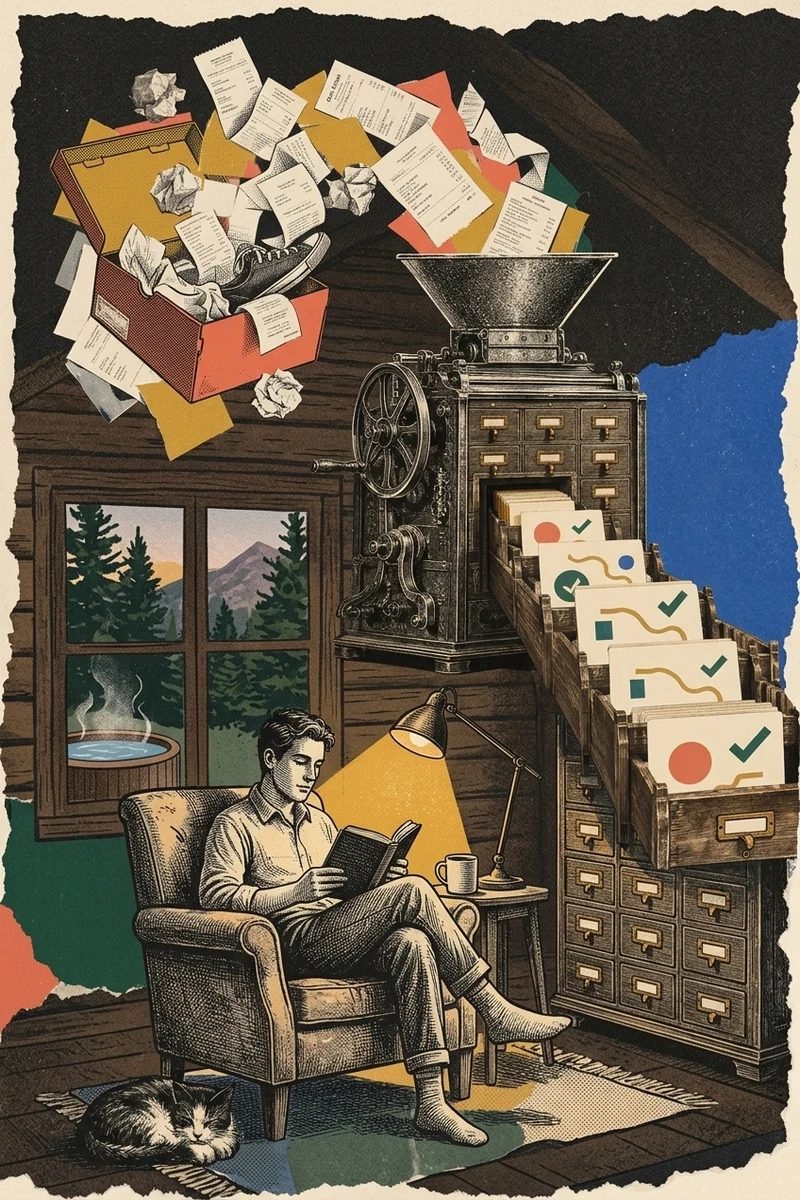
Here’s the whole system in one picture. Everything after this is just detail on one of these boxes.
Start with whoever reads it.
Before I asked Claude to do anything, I gave it the finish line: our CPA’s template and the articles explaining their rules.
Then I asked it to read all of it and write a one-page cheat sheet in plain English. What counts, what doesn’t, what’s a gray area.
Everything else got built to match. Expense categories use the exact names from the CPA’s form. Their original file stays untouched; our working log sits next to it. At year end, it’s copy and paste, not translation.
Your format is a guess. Theirs is the assignment.
Most AI paperwork disappoints for the same reason: it’s tidy, but it’s shaped for nobody in particular.
Give it a folder, not a chat.
If you’ve only used AI in a chat window, this is the step that changes everything.
The Claude desktop app can work inside a folder on your computer once you give it access. So instead of pasting text back and forth, it reads your files and saves real ones: spreadsheets, notes, organized receipts.
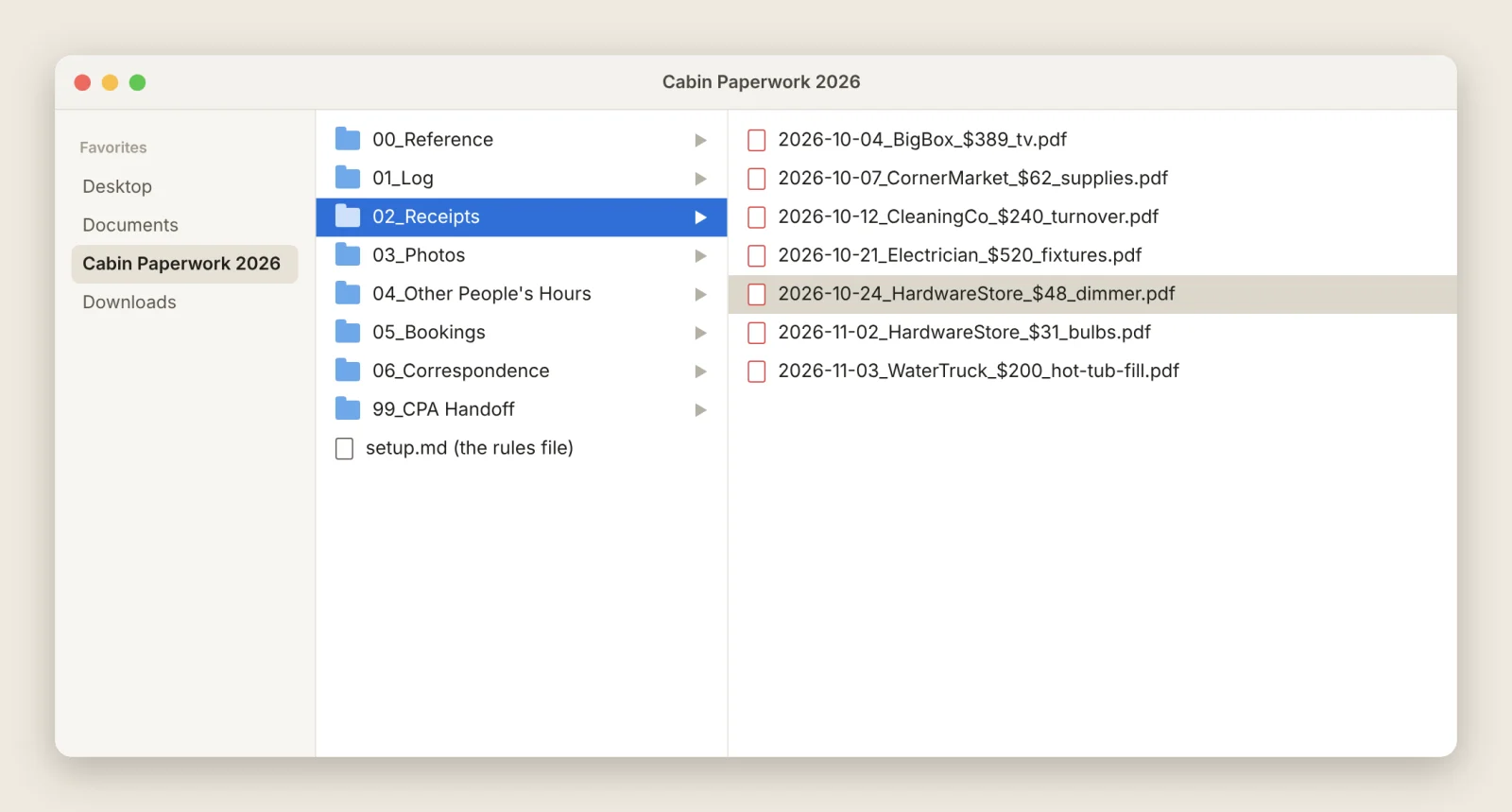
Mine has a handful of subfolders, numbered in the order I’d hand them to the CPA:
- Reference: the cheat sheet and the CPA’s original template
- Log: the working spreadsheet
- Receipts and Photos: named by date, so anything is findable
- CPA Handoff: the final package at year end
Why bother? Because chats end, get long, and get forgotten. Files don’t. If I switched AI tools tomorrow, every entry and receipt would still be sitting there in formats anyone can open.
The chat is the collaboration interface. The folder is the record.
You write notes. It writes the entries.
My part is small. On Sunday I jot down what happened, the way I’d text a friend:
“Sat, drove up early. Swapped three light fixtures with my wife (old house, no electrical boxes behind them), maybe 2-3 hrs. Hardware store run for a dimmer. Messaged the cleaners about Thursday.”
I paste that in with any photos or receipts, and Claude turns it into neat rows.
Even the weird ones. When the hot tub went in, our well couldn’t fill it, so a truck showed up with the water. That’s a row too.
Two habits keep that reliable:
Decide things once. Every drive to the house is logged as exactly two hours. A gas stop? A 15-minute break and two one-hour legs. Slightly absurd? Yes. Has it saved me from re-deciding how long the drive was every single time? Also yes. A guest message is 15 minutes unless I say otherwise. “2-3 hours” always becomes 2. Write these down once and you never answer the same question twice.
Glance before it’s final. Small stuff gets a one-line “here’s what I logged.” A busy day gets a quick table first, my hours and my wife’s side by side, so I can say “no, that was after lunch” before anything is saved.
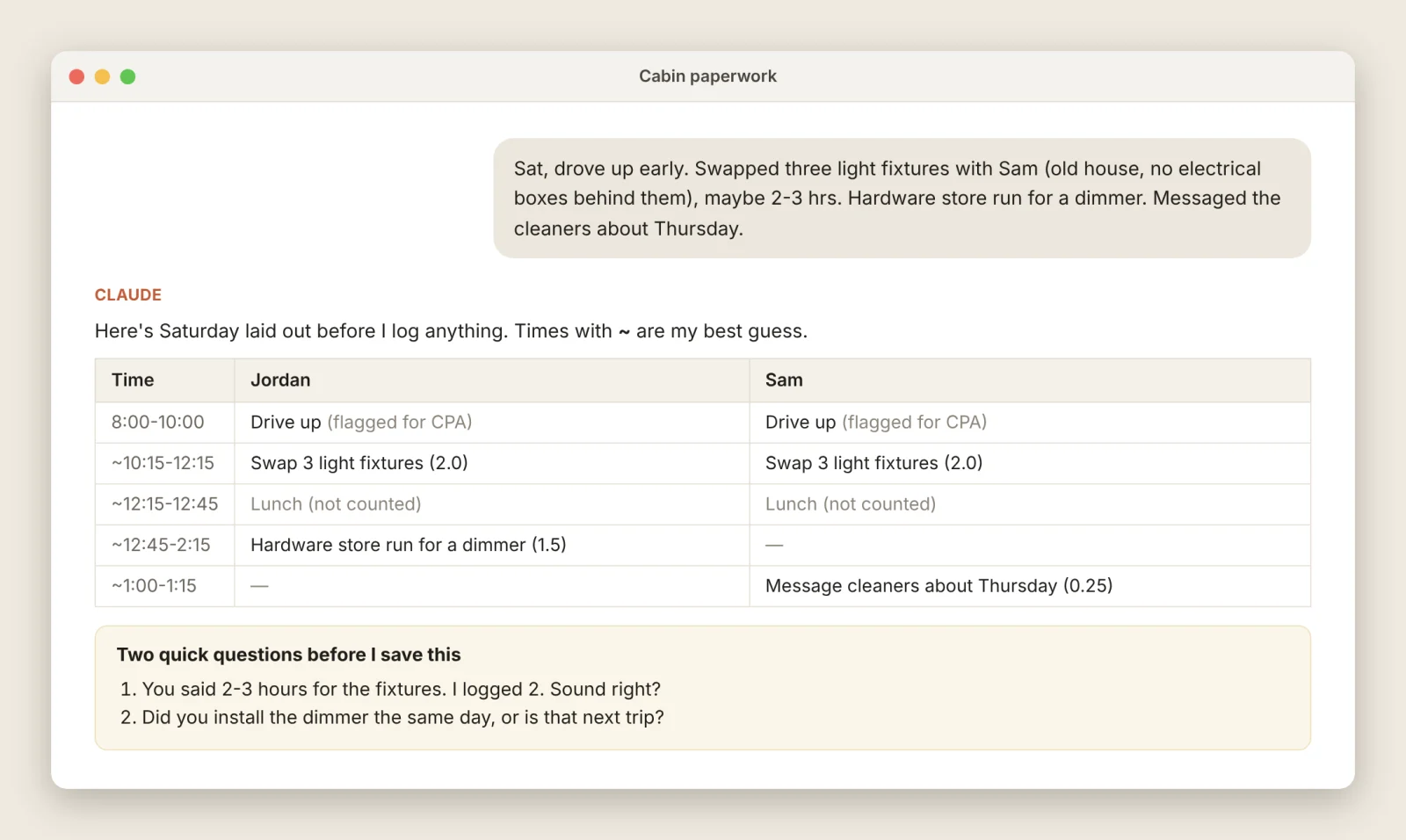
That glance catches real mistakes. Once, a meeting with our cleaners turned out to sit inside hours I’d already logged for cleaning. Claude flagged it and took the hour out so nothing was counted twice.
Hand off the typing. Keep the judgment.
Every correction becomes a rule.
AI doesn’t remember your last conversation the way a person would. Start a new chat and it’s a blank slate.
The fix is one plain text file in the folder. I call it the rules file. It says what this project is, how we do things, and where we left off. Claude reads it at the start of every chat and updates it at the end.
The magic is what goes in it over time. Every time I correct something, the correction gets written down:
- “Round time ranges down.”
- “DO NOT ADD MORE TO NOTES.”
- “Everything in date order.”
Yes, that middle one is real, all caps. The Notes column had gotten out of hand. It’s still in the file.
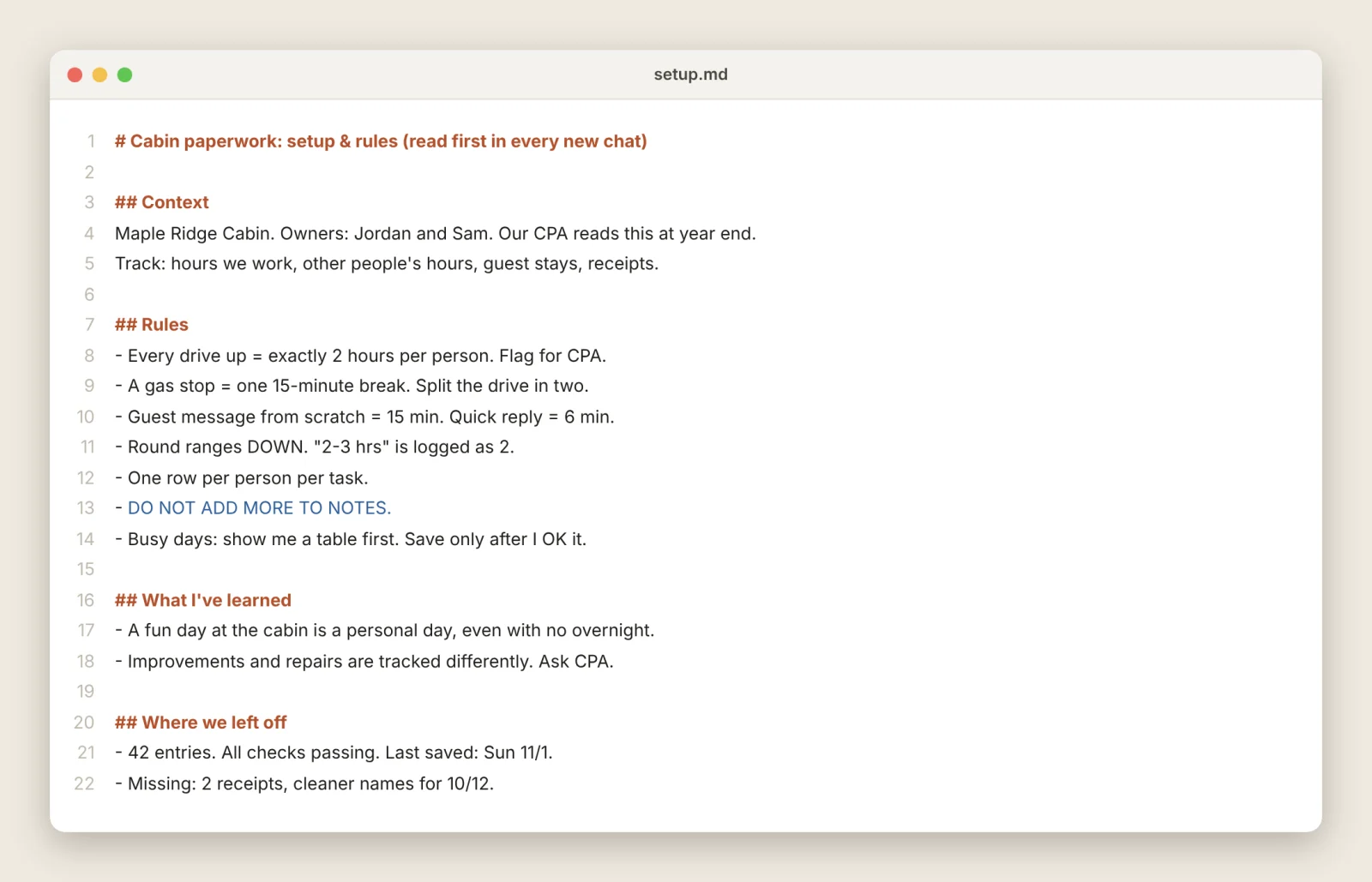
Early on, I explained a lot. Now I send three lines and get back exactly what I wanted, because the file already knows.
Before a two-week trip, I caught up on everything in one sitting. All of it was logged before I left.
The AI forgets. The rules file doesn’t.
Trust, but check.
A messy log is worse than no log. It looks like proof.
So every rule we agreed on also became an automatic check. After each batch of entries, Claude runs it before saving: nothing counted twice, nothing out of order, nothing missing a reason, totals that add up. If anything fails, nothing gets saved until it’s fixed.
You don’t need to know how that works. You just ask for it: “Turn our rules into a checklist and run it every time you update the log.”
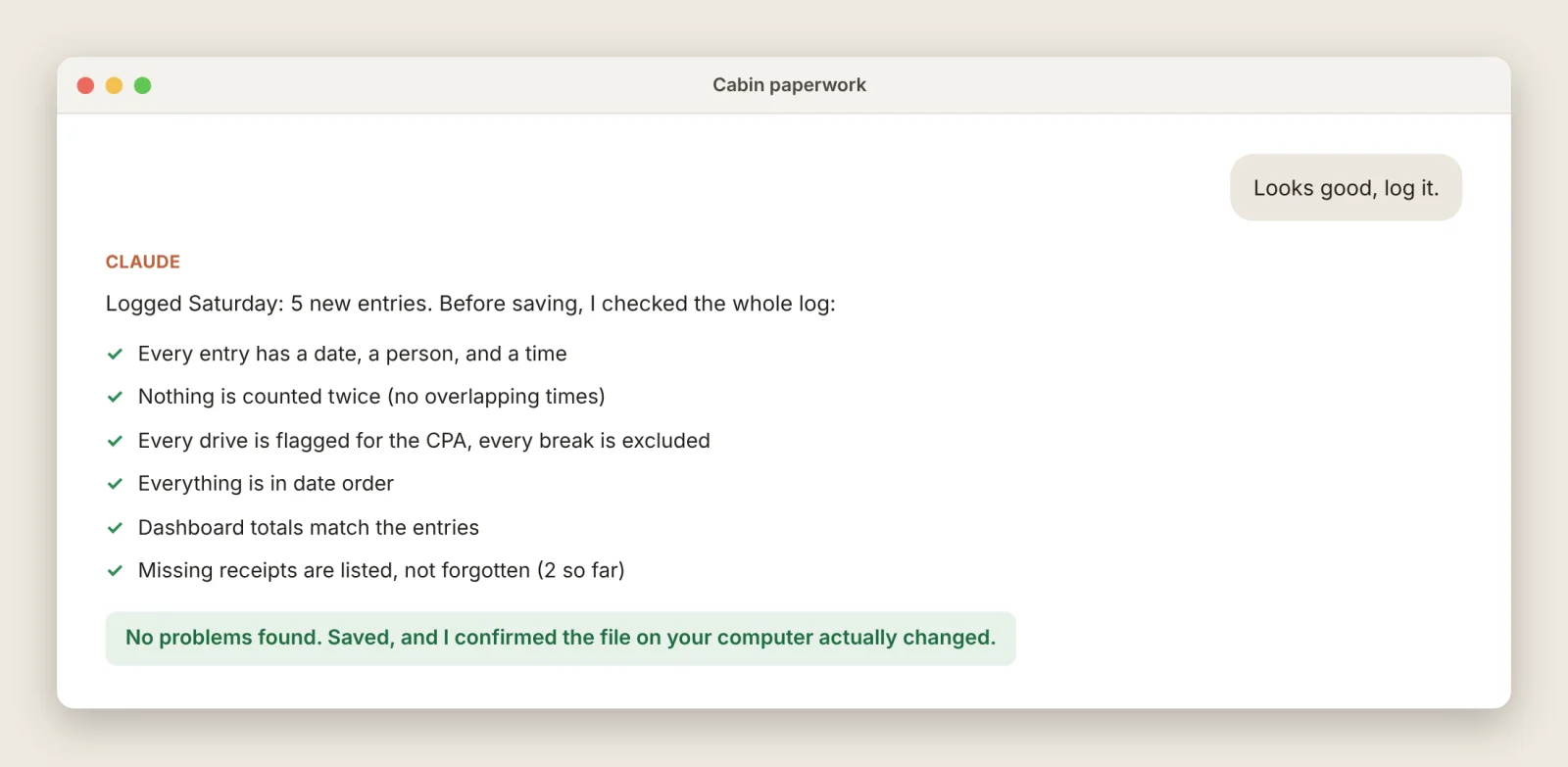
One more check came from a scare. One afternoon, Claude said a save worked. The file on my laptop was still the old version. Nothing errored. It just quietly didn’t happen.
Now it confirms the file actually changed, every time.
“Saved!” is a message. The file is the truth.
Make it teach you.
This is the one I care about most.
It would be easy to let Claude run all of this while I nod along. The entries look right. The totals add up. Why learn the rules?
Two reasons. I can’t catch a mistake in something I don’t understand. And the most valuable thing this system did wasn’t bookkeeping.
At one point I asked a curious question: what happens if we spend a weekend up there with friends? Claude walked me through the actual rule. In any year with personal use, rental expenses (depreciation included) get split by days, rental versus personal. In our short first year, a couple of personal weekends would have cut our deduction by more than half.
So those trips moved to January. Nobody would have flagged that for me. I found it because I asked why. (We’re confirming with our CPA before treating it as settled. You should too.)
The research points the same way. In a study of nearly 1,000 high school students, those given a plain chatbot did 48% better during practice, then 17% worse than students who never had it once it was taken away. A version built to tutor instead of hand out answers largely avoided that drop. Separately, a Microsoft and Carnegie Mellon survey of 319 knowledge workers found that the more people trusted AI on a task, the less critically they thought about it.
Same tool. Crutch or coach. Your call.
Here’s what coaching looks like in practice:
- “Before you log this, tell me the rule in two sentences and why it applies.”
- “What’s the gray area here, and what would a cautious CPA do?”
- “What should I be asking that I’m not?”
- “Draw me a picture of how this system works.” (Like the diagram at the top of this post.)
- “Quiz me on the three rules that matter most.”
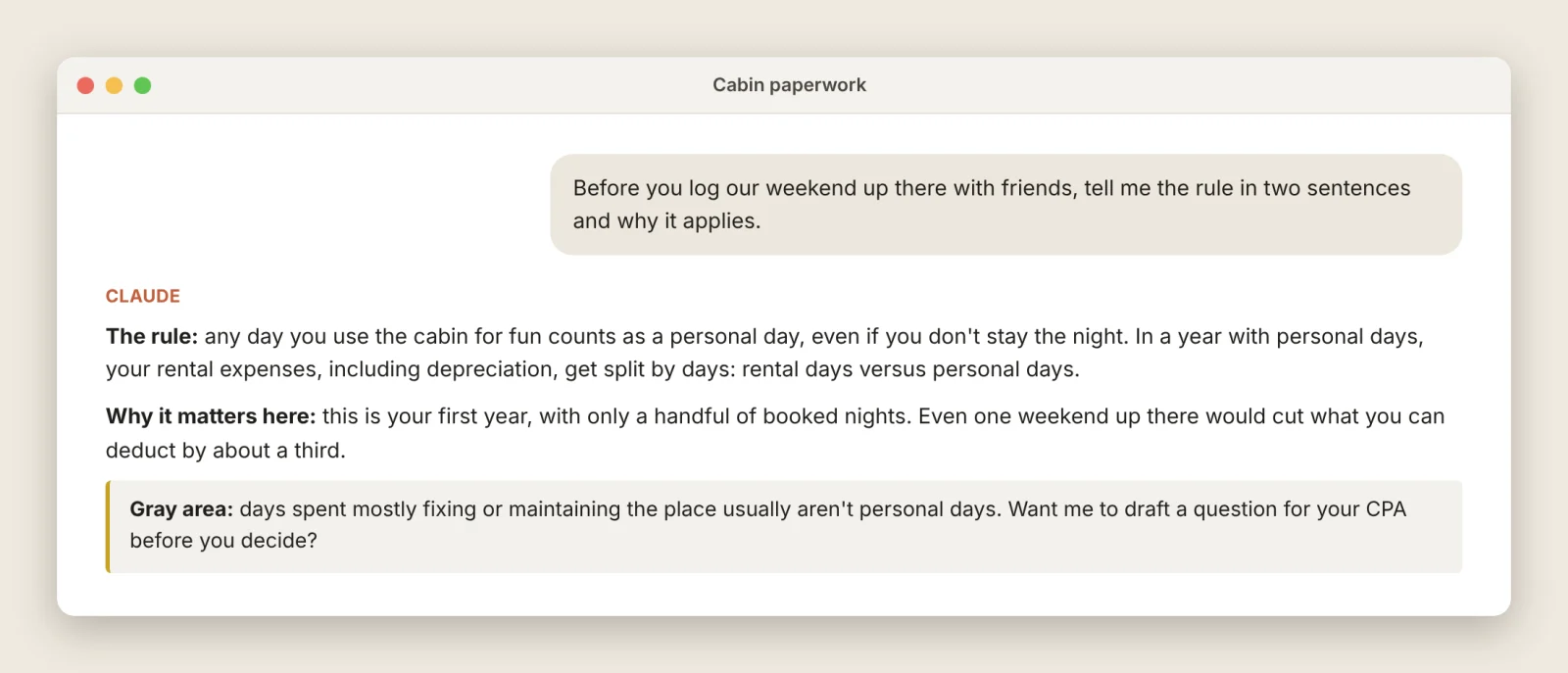
Claude also has a Learning style you can pick from the style menu. It answers with guiding questions instead of finished answers.
You don’t need to micromanage every entry. You need to understand the system well enough to notice when something smells off. Ask for the picture, the one-paragraph summary, the “explain it like I’m new.” Then dig in where the money or the risk is.
Use it as a clerk and you save time. Use it as a tutor and you get smarter about your own life.
No rental? Same idea.
Owning a home quietly turns you into a records department. Any of these works the same way: someone who’ll read it, a folder, a rules file, a quick glance.
| Build this | For whoever reads it later |
|---|---|
| Home improvement log. Every project and receipt, marked improvement or repair. | Your CPA, the year you sell |
| Home inventory. Photos by room, receipts and serial numbers for big items. | Your insurer, after a claim |
| Maintenance tracker. Recurring jobs, how often, when last done. | Future you, and someday a buyer |
| Warranty drawer. Model, serial, purchase date, manual, warranty end. | The manufacturer, when something breaks |
| Renovation file. Bids side by side, payments, permits. | You, your contractor, the town |
Pick the one that would hurt most to rebuild from memory. Start there.
Start small. Seriously.
You don’t need all of this on day one. Mine took about a month of trial and error, including an earlier version I outgrew. Figuring it out was half the fun.
Level 1 · This weekend, about 30 minutes. Make a folder. Put whatever your CPA, insurer, or lender gave you inside. Open the Claude desktop app, give it access to the folder, and say: “Read what’s in here and build me a simple spreadsheet to track this. Explain each rule to me in plain English as you go. Then I’ll send you notes.” Send your first notes. You’re done.
Level 2 · Week two. Say: “Start a rules file in this folder. Read it at the start of every chat. Whenever I correct you, add the correction. Keep a short list of what I’ve learned, too.” This is the single biggest upgrade.
Level 3 · When it matters. Say: “Turn our rules into a checklist. Run it after every update, and confirm the file actually saved.” Now you can trust it with things that count.
That’s it. Three sentences, spread over a few weeks.
Or skip the reading: the last section of this post is written for your AI, not for you. Paste it into Claude and it’ll set the whole thing up and ask you the right questions.
Your move
- This weekend: do Level 1. About 30 minutes.
- Short on time? Paste the box at the bottom of this post into Claude and let it interview you.
- Built something? Tell me what you made. I’d love to see it.
Coming next in Applied AI: what the year-end handoff to our CPA actually looks like.
Sources: Bastani et al., PNAS 2025 · Lee et al., CHI 2025 (Microsoft Research and Carnegie Mellon) · Engadget on Claude’s Learning mode
For your AI: set this up for me
You don’t need to read this part. It’s written for Claude (or whatever AI you use).
Open the Claude desktop app, give it access to an empty folder, and paste everything in the box below. It will interview you, then build the system with you in an afternoon.
# Set up a personal records system (from harshrana.com, Applied AI No. 01)

You are helping a non-technical person turn a paperwork chore into a reliable,
low-effort system. They will send rough notes, photos, and receipts. You keep
everything organized in files they own, in the format the person at the end needs.
Go slowly, explain in plain language, and never assume they know technical terms.

## Step 1: Interview (ask, then wait)
Ask these one or two at a time, in plain words:
1. What are you keeping track of? (a rental, a renovation, home maintenance, a claim)
2. Who will use this at the end? (a CPA, insurer, lender, future buyer, just you)
3. Do they have a template, form, checklist, or rules? Ask them to drop it in the folder
   or paste links.
4. How do you want to send updates? (weekly notes, photos as they happen, both)
5. Who else does work on this? (spouse, cleaners, contractors). Each person may
   need their own entries.
6. How much do you want to learn along the way? (just the essentials,
   or teach me the details as we go)

## Step 2: Learn the rules from the source
Read every template, form, and link they gave you. Write a one-page cheat sheet in
plain English into 00_Reference/: what counts, what doesn't, and what's a gray area.
Cite where each rule came from. Mark anything you're unsure of as a question for the
professional, not a fact. Show it to them and ask what looks wrong.

## Step 3: Build the folder
Propose a structure, numbered in the order things get handed over. A typical one:
00_Reference, 01_Log, 02_Receipts/<year>, 03_Photos/<year>/<date>_<task>,
04_Correspondence, 99_Handoff. Name files with the date first (YYYY-MM-DD_...).
Never edit their professional's original template. Keep it in 00_Reference and
build a companion file next to it.

## Step 4: Build the working file
One spreadsheet, one tab per kind of record (for example: log of time or tasks,
expenses, people/vendors, dates or stays). Use dropdowns for anything with a fixed
set of choices. Use the exact category names from their template so year-end is
copy and paste. Add a simple dashboard with the two or three numbers they care
about most, in plain words ("On track" / "Need 9 more hours").
Show them before you fill it.

## Step 5: Start the rules file
Create setup.md in the folder. First line: "Read this first in every new chat."
Sections: Context (what this is, who's involved, who reads it), Conventions
(standard durations, rounding, naming, what goes in notes), Workflow (how you
update and check), State (counts, totals, last ID, open questions, missing
receipts). Read it at the start of every chat. Update it at the end of every
batch. Whenever they correct you, add the correction as a rule.

## Step 6: How to handle their updates
- Simple items: restate in one line, then log them.
- Busy days or anything with several tasks or people: show a short table first
  (who, what, how long) and wait for an OK before saving.
- Be conservative: round ranges down, never invent amounts or times, and ask
  when something is missing.
- Never count anything twice. If a new item overlaps an existing one, say so and
  fix it.
- Flag gray areas for their professional instead of deciding them.
- Keep a running list of missing evidence (receipts, photos, names).

## Step 7: Check before you trust
Turn every rule into a check and run it after every update, before saving:
allowed categories only; every entry has a date, person, and amount or duration;
anything excluded has a reason; no overlaps or duplicates; date order; totals
match the rows; evidence linked or marked missing. If a check fails, fix it
before saving and tell them what you fixed.

## Step 8: Confirm the save
After saving, confirm the file in their folder actually changed (open it again,
or compare a checksum). Never report success based only on a tool's message.
If it didn't change, say so plainly and retry.

## Step 9: Teach as you go (this matters as much as the bookkeeping)
The goal is a person who understands their own system, not one who depends
on you. So:
- When you apply a rule for the first time, explain it in two plain sentences
  and say why it applies here.
- Point out gray areas and what a cautious professional would do.
- Every so often, suggest one question they should be asking but aren't,
  especially where money or risk is involved.
- When they ask how something works, offer a simple diagram or a
  one-paragraph summary before the details.
- Keep a "What I've learned" section in setup.md and add to it.
- Once a month, offer a check-in: what they learned, what's missing,
  what to understand better before year end.
- Don't lecture. Short explanations, offered at the right moment.

## Always
- Plain language. Short updates. One question at a time when you can.
- This is record-keeping help, not tax, legal, or financial advice. Point
  judgment calls to their professional.
- Keep personal and financial details inside their folder.